SurfaceFlow - Realtime Surface Deformation
Makes any mesh follow any surface in real time, walking geometry across a form instead of projecting it.
Not tested hands-on. Based on the creator’s documentation, demo videos, changelog and buyer feedback.

Cover image: Playful Pixel, from the original product page.
Links to Superhive on this page are affiliate links. If you buy through them I earn a commission, at no extra cost to you.
What it does
SurfaceFlow wraps detailed meshes across complex shapes and updates the result as you work. The difference from standard projection is that it walks the mesh across the target surface instead of pushing it to the nearest point, so long strips and decorative details look like they belong to the form.
Key features
- Real-time feedback as you move and adjust.
- Non-destructive setup without separate binding stages.
- Simple four-step workflow, with deeper controls when a shot needs them.
- Handles curved objects, long strips, sharp transitions and ornamental work.
- BeeBinder included for free.
Things to check before buying
Version 2.1 is current, with ongoing updates and support straight from the developer. Compare with Conform Object if you only need one-direction projection.
Strengths
- Live, non-destructive result
- Follows curved forms better than projection
- Direct support from the creator
Worth knowing
- Very dense meshes slow down the live update
- Takes practice to use the deeper controls
Who it's for
Modelers who wrap trims, straps, decorative details or panels around complex curved objects.
From the product page

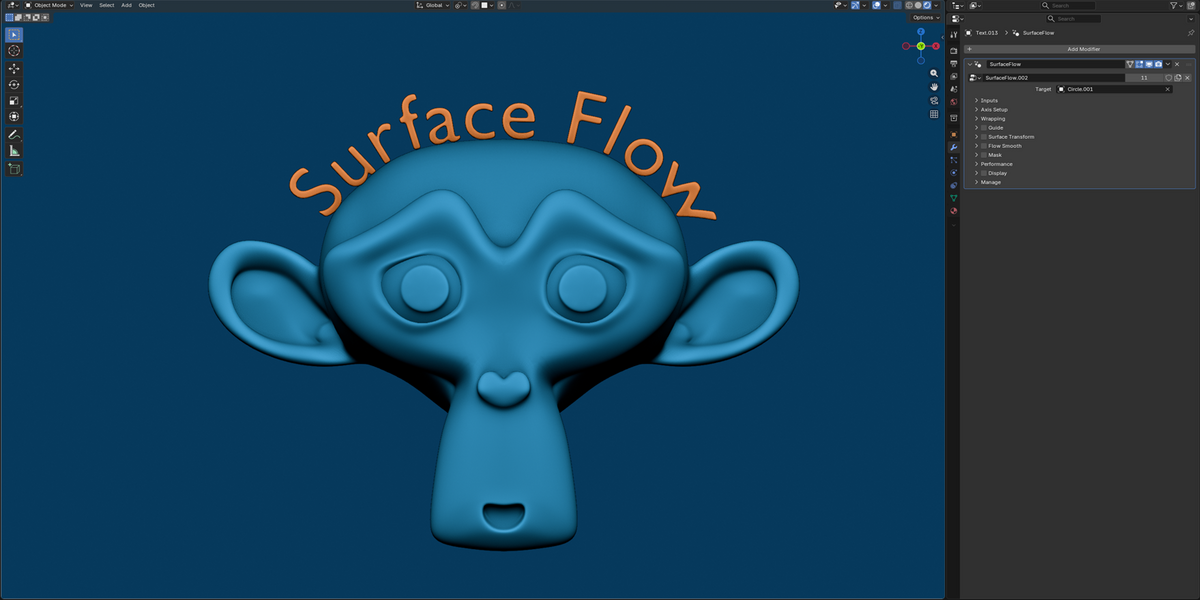
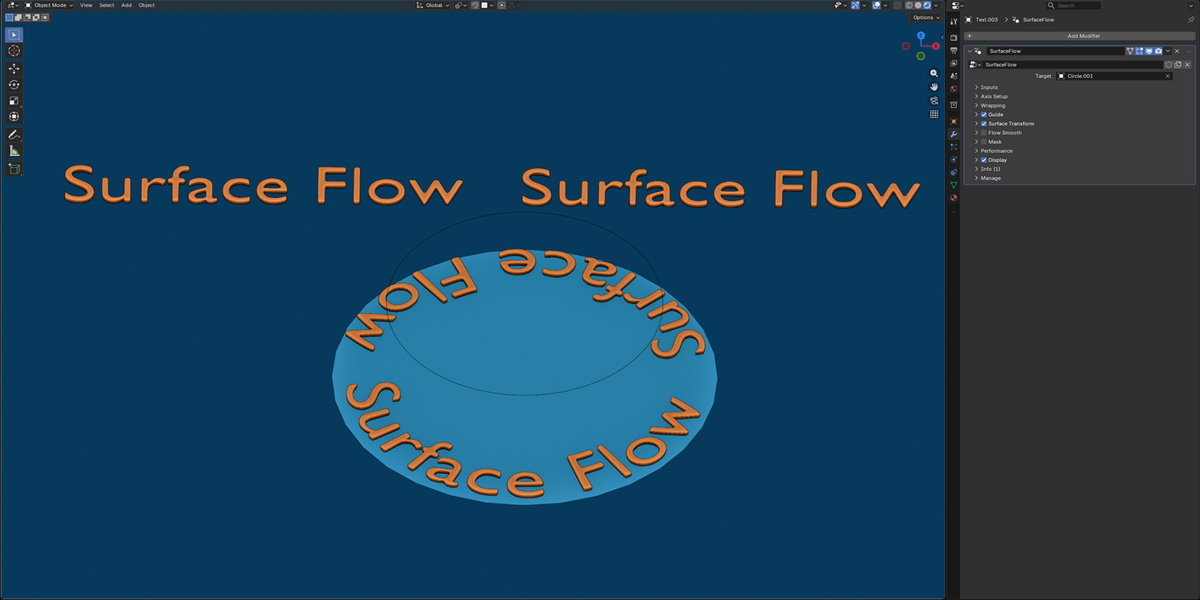
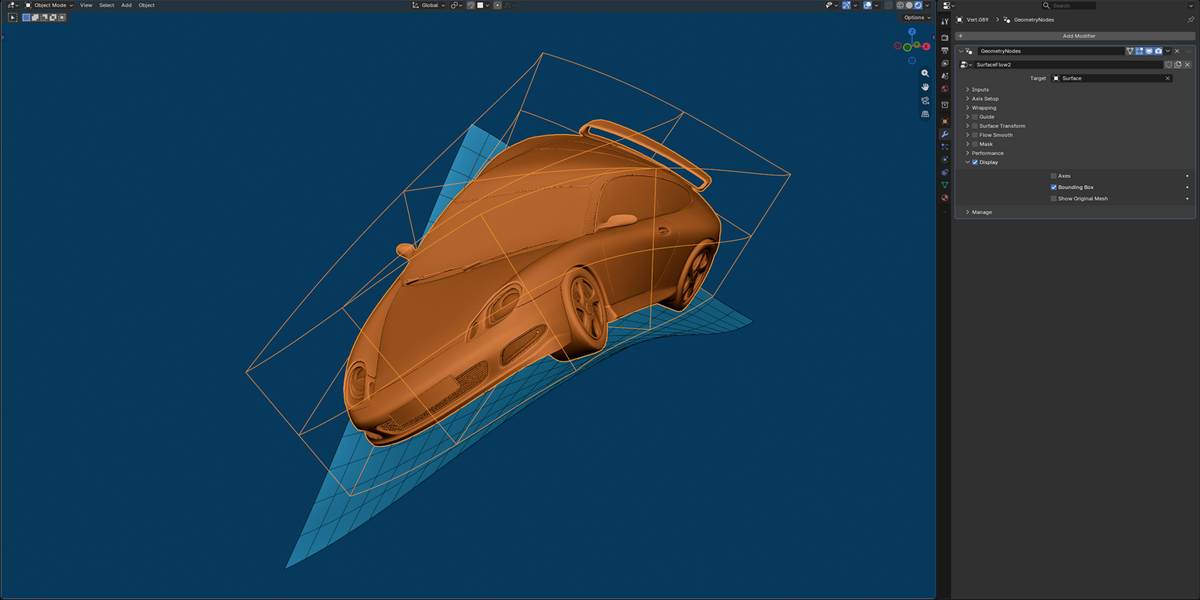
Images by Playful Pixel, shown from the Superhive product page.
SurfaceFlow - Realtime Surface Deformation
Check the current price, version support and changelog on the creator's page.
See price on SuperhiveAffiliate link. How this works