SpeedRetopo
by Pitiwazou
A retopology helper that sets up snapping and modifiers for you and adds quick tools for building clean low-poly meshes.
Not tested hands-on. Based on the creator’s documentation, demo videos, changelog and buyer feedback.
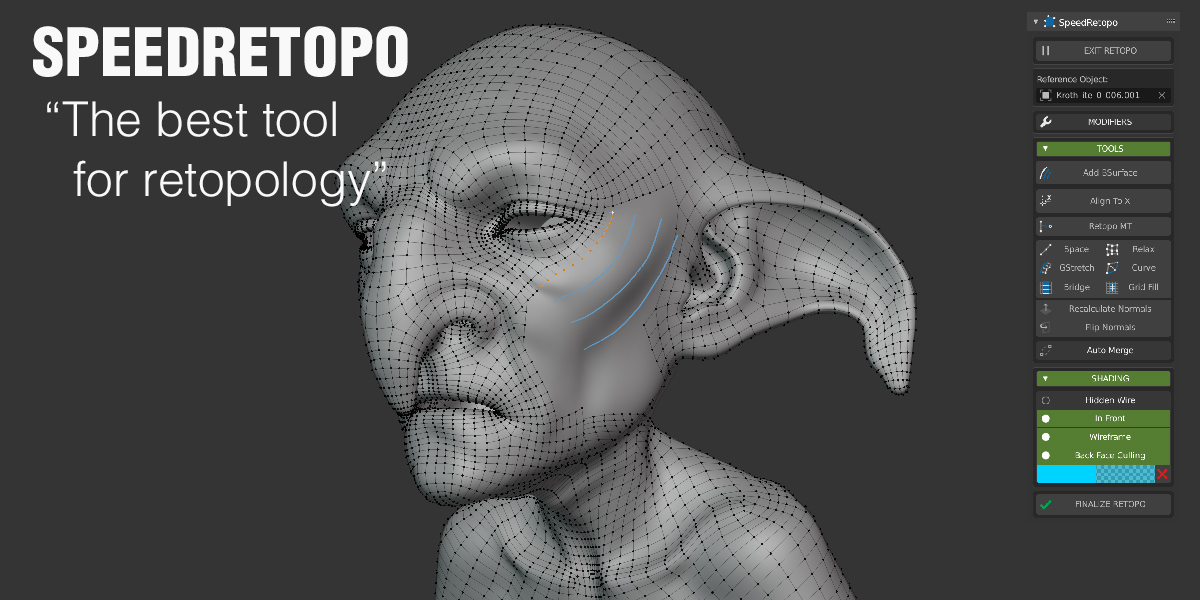
Cover image: Pitiwazou, from the original product page.
Links to Superhive on this page are affiliate links. If you buy through them I earn a commission, at no extra cost to you.
What it does
SpeedRetopo removes the setup work from retopology in Blender. It creates the retopo mesh, turns on the right snapping, adds shrinkwrap and mirror modifiers, and gives you a panel of tools for drawing new topology over a high-poly model.
Key features
- One-click start: picks the reference mesh and creates a new object with surface snapping ready.
- Mirror and shrinkwrap handled automatically so the new mesh stays on the surface.
- Quick tools for extruding edges, building bridges, filling and relaxing.
- Display options such as hidden wireframe and colour overlays so you can see your new mesh clearly over the sculpt.
- Works alongside Blender's own poly build and other retopo add-ons.
Things to check before buying
This is a workflow helper, not an auto-retopology tool. It fits people who retopo now and then and want less setup; heavy users may prefer a dedicated sketch-based tool.
Strengths
- One-click retopo setup with surface snapping
- Shortcuts for common retopology tools
- Affordable
Worth knowing
- Still manual retopology, not automatic
- Less specialised than dedicated retopo suites
Who it's for
Artists who retopologise sculpts occasionally and want a simpler, guided setup inside Blender.
From the product page

Images by Pitiwazou, shown from the Superhive product page.
SpeedRetopo
Check the current price, version support and changelog on the creator's page.
See price on SuperhiveAffiliate link. How this works