All add-ons Lighting & Rendering
Render Raw - Color Grading & Camera Effects
Colour grading and camera effects inside Blender, with instant, intuitive controls for exposure, contrast, hue and more.
Not tested hands-on. Based on the creator’s documentation, demo videos, changelog and buyer feedback.
Cover image: Orange Turbine, from the original product page.
Links to Superhive on this page are affiliate links. If you buy through them I earn a commission, at no extra cost to you.
What it does
Render Raw gives you photo-editing style colour controls right in Blender, with results visible in the viewport. It is built for the common problem of renders that look flat, washed out or slightly off in colour.
Key features
- Exposure, contrast, highlights, shadows and white balance controls.
- Hue, saturation and value adjustments, including per-colour tweaks.
- Curves and colour balance for finer grading.
- Camera effects such as vignette, glare and grain.
- Works live in the viewport and in final renders.
Things to check before buying
Reviews call it a big upgrade for professional work. A basic grasp of Blender's colour management helps you get the most from it. It comes from the Orange Turbine team.
Strengths
- Granular colour correction live in the viewport
- Camera effects alongside grading
- Very well reviewed by professionals
Worth knowing
- Another layer in the pipeline to manage
- Colour management concepts still help
Who it's for
Anyone whose renders look dull or washed out and who wants photo-editor style grading without leaving Blender.
From the product page

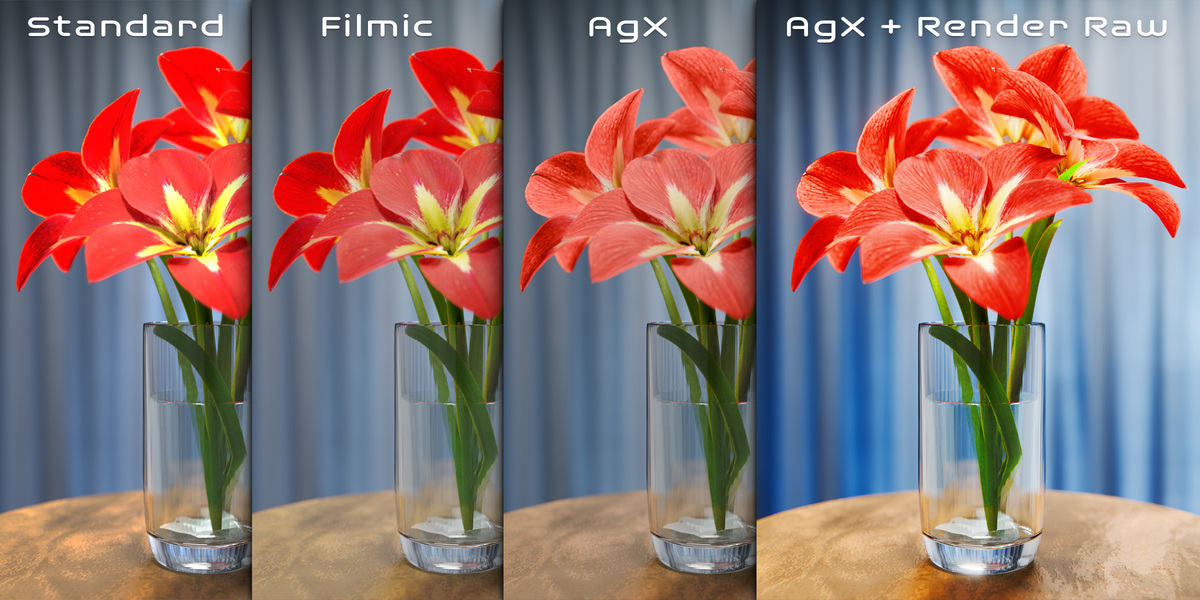

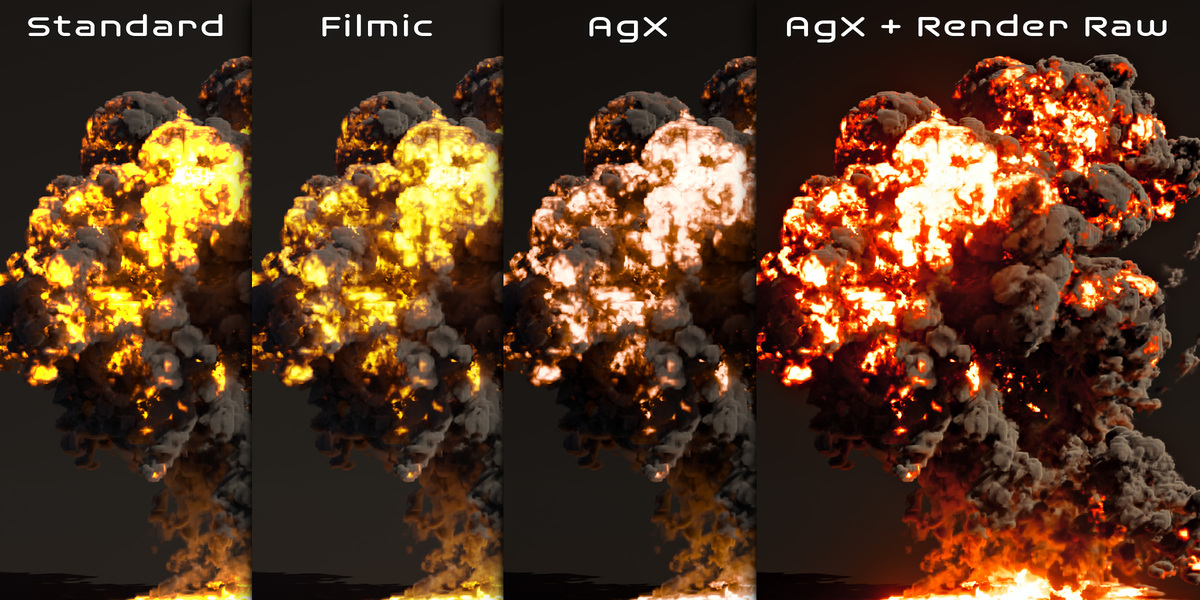
Images by Orange Turbine, shown from the Superhive product page.
Render Raw - Color Grading & Camera Effects
Check the current price, version support and changelog on the creator's page.
See price on SuperhiveAffiliate link. How this works


