Perspective Plotter
Matches a Blender camera to a photo or sketch by drawing perspective lines, like fSpy but inside Blender.
Not tested hands-on. Based on the creator’s documentation, demo videos, changelog and buyer feedback.

Cover image: Mark Kingsnorth, from the original product page.
Links to Superhive on this page are affiliate links. If you buy through them I earn a commission, at no extra cost to you.
What it does
Perspective Plotter solves camera matching: you line up guides with the vanishing lines in an image, and the add-on works out the camera's focal length, position and rotation in real time. It is inspired by the free fSpy app, with the advantage of living inside Blender.
Key features
- Live camera matching from perspective guides in the viewport.
- 1, 2 and 3-point perspective modes.
- Measuring guide to set the real-world scale of the scene.
- Keyframe buttons for animating the camera.
- Match background image proportions and flatten the horizon automatically.
- Freeze guides to avoid accidental changes, and customise guide colours.
- Move Along View tool for pushing vertices or objects along the camera's line of sight while modeling.
- Works with multiple cameras in one scene.
Things to check before buying
The creator notes that you should understand one, two and three-point perspective and be comfortable in Blender. Photos with lens distortion or few straight lines are harder to match.
Strengths
- Camera updates live as you adjust guides
- 1, 2 and 3-point perspective modes
- Can animate the camera
Worth knowing
- Assumes you understand perspective drawing
- Accuracy depends on clear lines in the reference
Who it's for
Modelers, architects and illustrators who build 3D scenes from reference photos or concept sketches.
From the product page

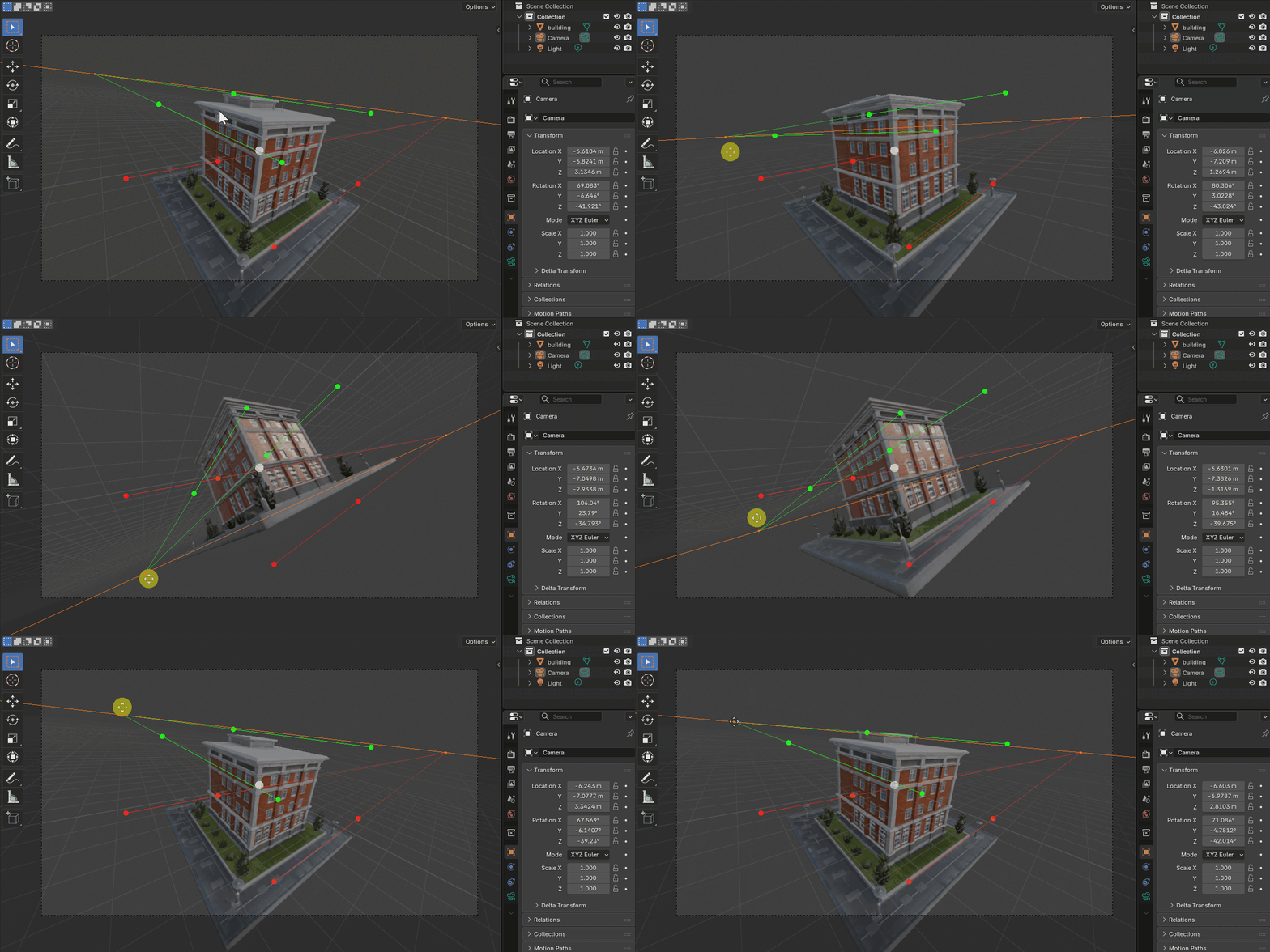


Images by Mark Kingsnorth, shown from the Superhive product page.
Perspective Plotter
Check the current price, version support and changelog on the creator's page.
See price on SuperhiveAffiliate link. How this works