Curves To Mesh
Builds clean quad surfaces from a network of Bezier curves, plus profile lofting and sweeps, for NURBS-style modeling.
Not tested hands-on. Based on the creator’s documentation, demo videos, changelog and buyer feedback.

Cover image: Mark Kingsnorth, from the original product page.
Links to Superhive on this page are affiliate links. If you buy through them I earn a commission, at no extra cost to you.
What it does
Curves to Mesh lets you design surfaces with Bezier curves and convert them into quad meshes. Once converted, the result is a normal mesh you can keep editing with Blender's modeling tools.
Three modes
- Surface to Mesh: four curve segments define one quad patch, and patches connect into a full surface network.
- Profiles to Mesh: loft a 3D shape through a series of cross-section curves.
- Sweep to Mesh: sweep profile curves along another curve.
Things to check before buying
The add-on detects corners where curves meet. A single closed curve such as a rectangle will not be recognised as a surface; the creator advises splitting closed shapes into four separate curves first. Clean, well-planned curve networks give the best topology.
Strengths
- Turns curve networks into quad patches
- Three modes: surface, profiles and sweep
- Result works with normal mesh tools
Worth knowing
- Closed curves must be split into four segments for patches
- Needs a tidy curve network to work well
Who it's for
Product and vehicle modelers who like to define shapes with curves first, as in CAD or NURBS software.
From the product page

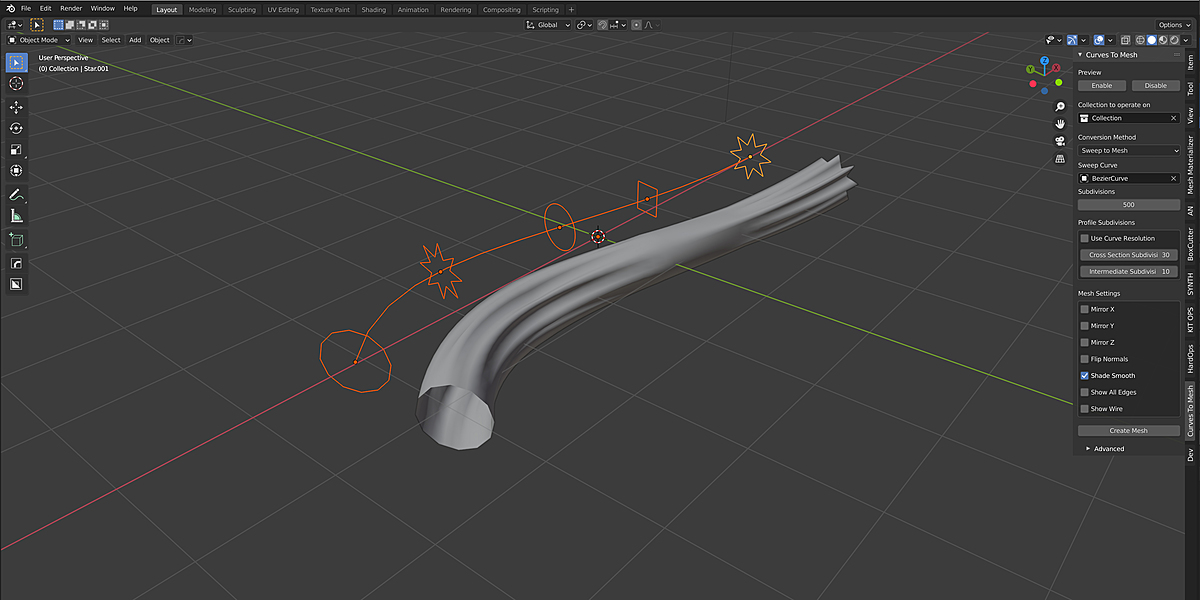
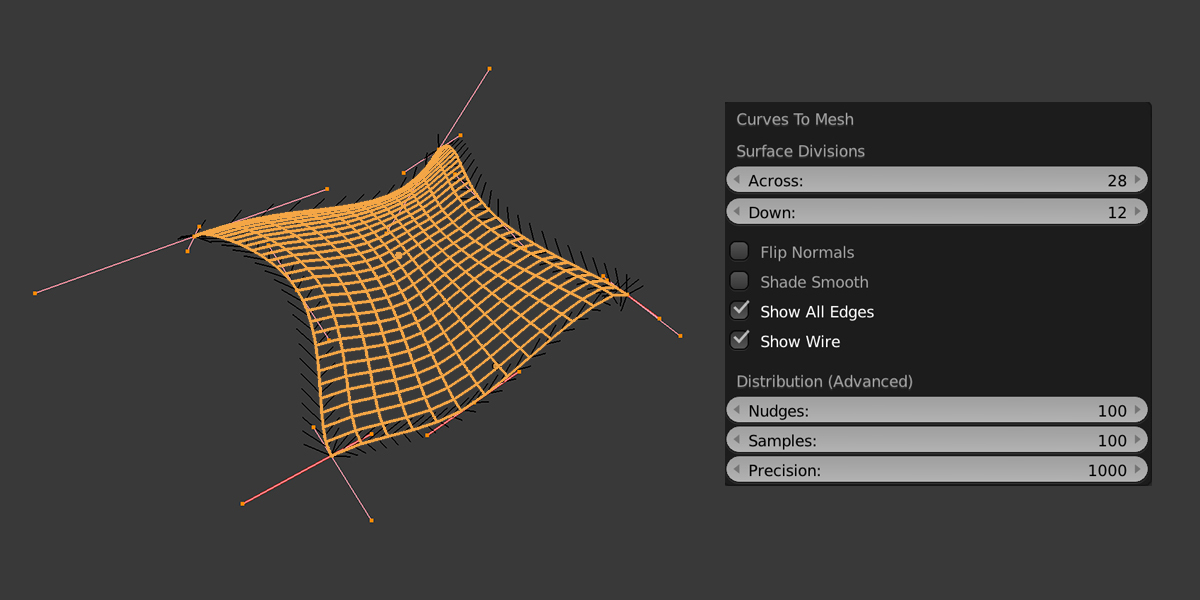
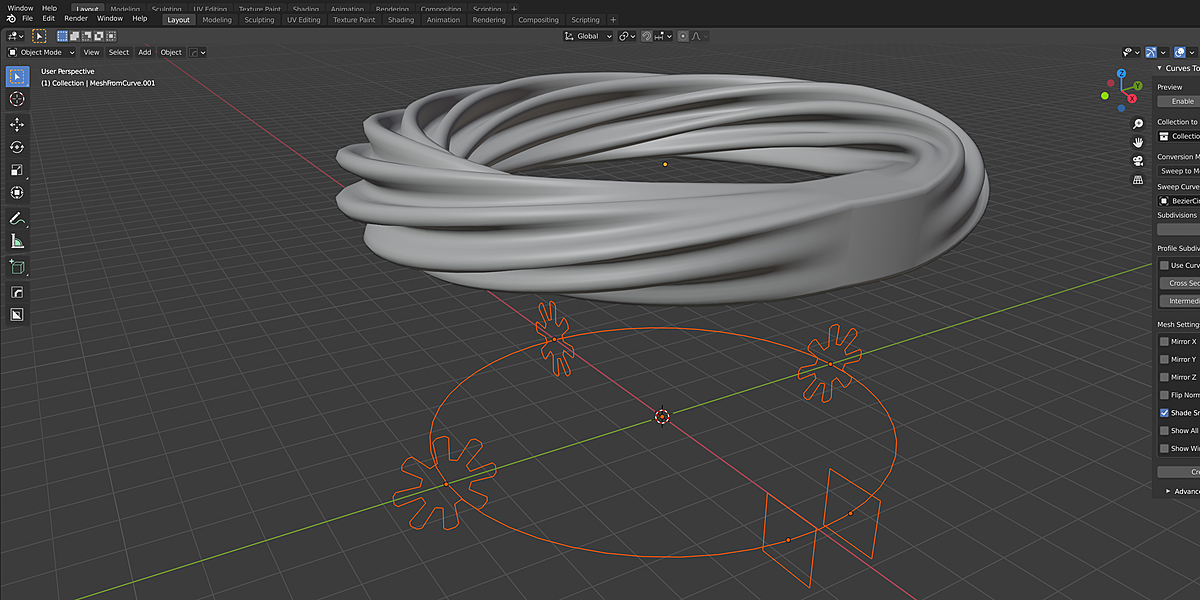
Images by Mark Kingsnorth, shown from the Superhive product page.
Curves To Mesh
Check the current price, version support and changelog on the creator's page.
See price on SuperhiveAffiliate link. How this works